PC & launch support
MW4 Stuttering or Low FPS: PC Checks vs Network Lag
Separate frame-rate drops from ping and packet loss, compare repeatable benchmark results and follow current drivers, patch notes and support checks.
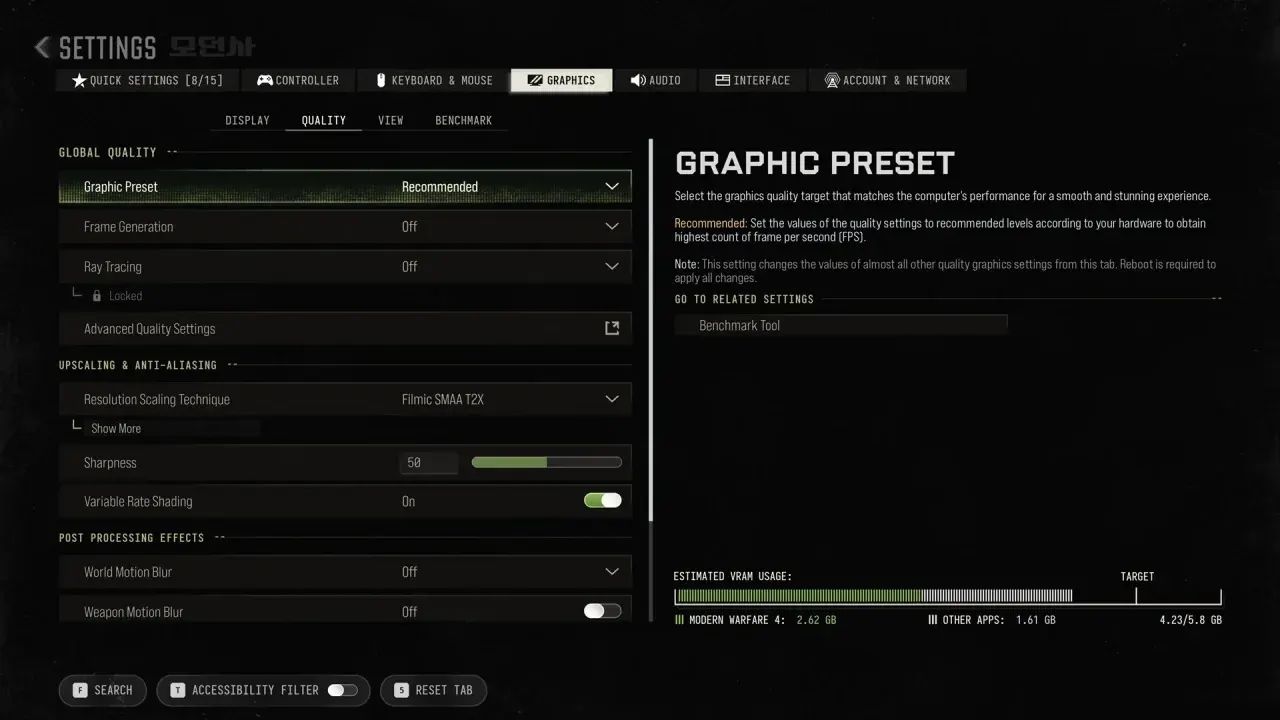
First distinguish rendering from connection problems
A stutter is a symptom, not a diagnosis. Low rendering FPS, an uneven local frame rate, a high-ping connection and packet loss can feel similar. Activision describes rubber-banding and delayed hit feedback in its network-performance guide. A game process that closes belongs in crash troubleshooting.
Wide tables can be scrolled sideways.
| What you see | Useful first comparison | Next step |
|---|---|---|
| Low FPS or hitches in a repeatable scene | Compare the built-in benchmark and settings | Local rendering checks below |
| Position jumps back or hits register late online | Check ping, packet loss and connection conditions | Network checks below |
| The process exits or locks up completely | Record exact error and affected stage | Crash checklist |
| A mode button is missing | Check platform entitlement and installed packs | Known issues / installation |
Record a baseline before changing settings
Check the minimum requirements, OS and SSD, then record GPU/CPU, resolution, driver, game version and mode. Use automatic hardware configuration as a starting reference. Run the built-in simulated Multiplayer benchmark with the same settings twice, noting FPS, CPU/GPU and input-latency information. Its result does not prove every DMZ scene performs the same way.
Local rendering: compare one setting at a time
Keep a copy of the starting configuration. Compare the same scene with one change to resolution scaling or a supported upscaler, then compare ray tracing separately. Keep frame generation state in the record rather than mixing runs with it on and off. Do not promise an FPS gain from one setting without measuring it on the same hardware. The settings guide explains visibility, upscalers and input settings without inventing a universal preset.
Follow Activision's current driver reference and the GPU vendor's matching download. Close unnecessary recording, overlay and input-remapping applications as an isolation step: official crash support identifies them as possible conflicts, not a proven explanation for every hitch. Keep the PC ventilated. Check a recent driver or game change before undoing unrelated settings.
Network lag: check the connection separately
For rubber-banding, high ping or packet loss, compare a wired connection if available and pause competing downloads, video streams and uploads. Retest in the same conditions. The official guide explains that server distance and ISP routing also affect ping; a graphics preset cannot change that route. A faster connection speed test alone is not proof that packet loss is absent. If you cannot connect at all, follow the official connection-help link in Activision's lag guide.
DMZ and the dated Heartbeat Sensor fix
The October 21 notes say a PC performance problem involving a held Heartbeat Sensor and weapon was addressed on that date. They also list specific earlier DMZ crash fixes. That is useful version context, not a universal current fix or proof that every freeze has the same trigger. Compare your game version and exact trigger; use the tracked issues and patch notes for the source boundaries.
Changes without a verified basis
This guide does not recommend disabling anti-cheat or security protections, deleting saves, registry edits or copied launch flags as a generic performance fix. No hardware benchmark from this site establishes a fixed best worker-thread count, guaranteed VRAM percentage or one-click FPS increase. Prefer a reversible, one-variable comparison to changing several unrelated system settings at once.
When to report it
If the same scene still hitches after the basic checks, keep before/after settings, mode, map, driver, build and the exact action that triggers it. The official crash support and known-issues page provide the escalation paths. No account access is needed by this fan site.
Sources rechecked October 23, 2026: official PC features and benchmark, network performance, driver guidance, crashes/freezes and launch fixes. The image illustrates PC graphics settings; it is not a benchmark measured by this site.